
 Cart is empty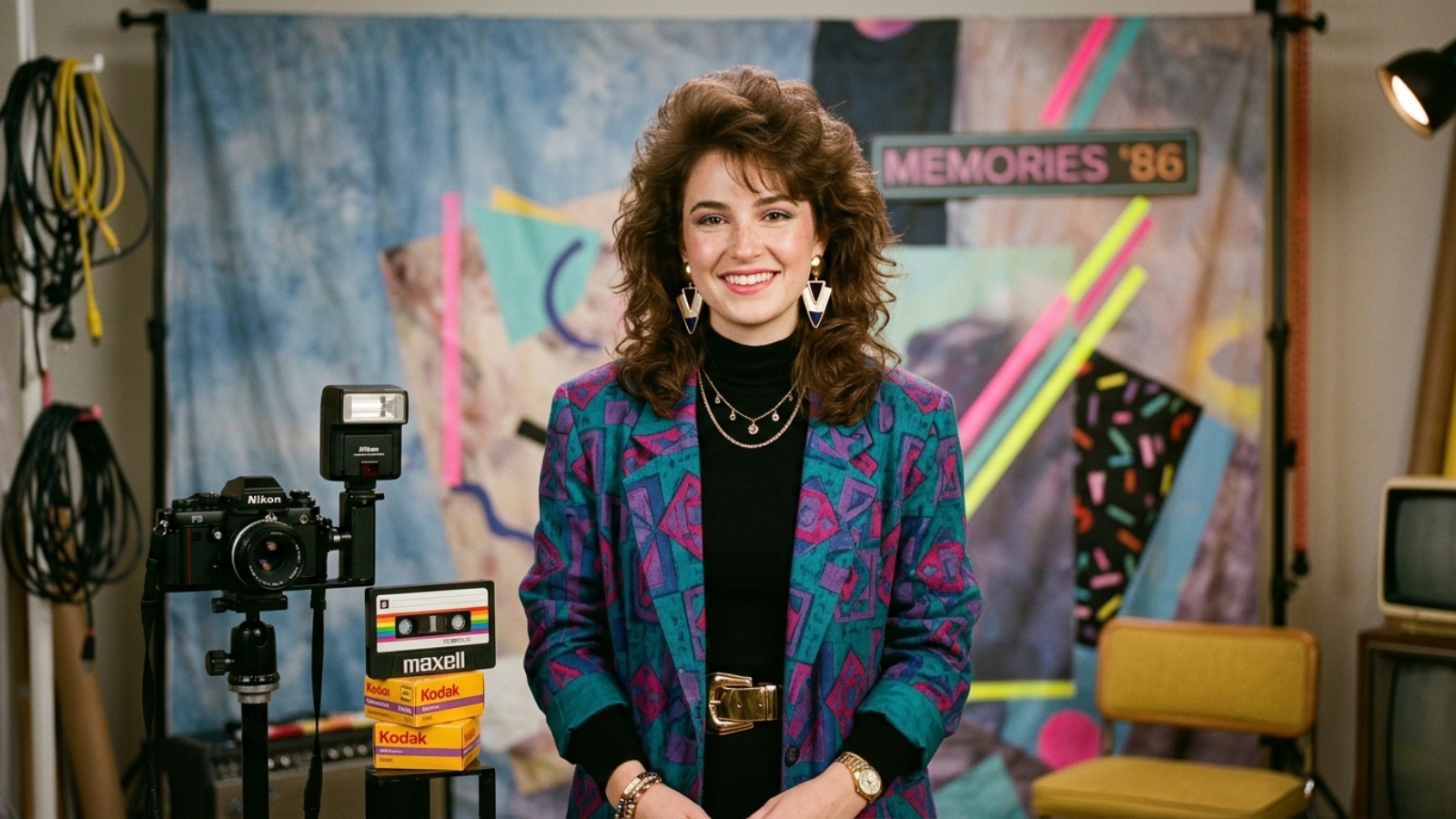
What would you look like if your photo had been taken in the 1980s? The 80s AI photo trend is taking over social media, with people turning their modern selfies into retro-style photos featuring big hairstyles, vintage clothes, bold accessories and the classic look of an old film photograph.
The trend is popular because AI can completely transform a modern photo into an 80s retro photo without needing Photoshop or professional editing skills. With the right AI tool and a simple prompt, you can create your own 1980s-inspired photo in just a few minutes.
What Is the 80s AI Photo Trend?
The 80s AI photo trend uses artificial intelligence to transform a modern photograph into an image that looks like it came from the 1980s.
Instead of simply adding an old filter, AI can change several parts of the image, including:
- Hair style
- Clothing
- Accessories
- Background
- Lighting
- Camera style
- Film grain
- Colors
- Overall vintage appearance
For example, a modern selfie can become an old-school studio portrait with big 80s hair, colorful clothing, dramatic lighting and a slightly faded film finish.
Some people are also creating Bollywood-inspired retro portraits, 80s family photos, yearbook-style pictures and vintage party scenes.
That is why the AI 80s photo trend has become so popular. It gives people a way to imagine themselves living in another decade without actually going back in time.
Why Is the 80s AI Photo Trend Going Viral?
Nostalgia is a big part of the attraction. During the 1980s, fashion and photography had a very recognizable visual style, from big hair and denim jackets to colorful clothes, oversized sunglasses and bold jewelry.
Today, AI makes it possible to combine these details into one image and recreate the look without needing an old camera or vintage clothing.
Social media plays a big role in how these trends spread. If you’re interested in tracking TikTok growth, check out our guide to TikTok Counter.
Another reason the 80s AI photo trend is spreading is how easy it is. All you need is a clear photograph and a good prompt describing the 1980s look you want.
You don’t need to know how to use Photoshop.
How to Turn Your Photo Into an 80s Photo
The basic process is simple.
Step 1: Choose a Clear Photo
Start with a clear photo of yourself. A front-facing portrait usually works best because the AI can see your facial features clearly.
For better results, avoid very dark or extremely blurry pictures. Photos with several people can also be difficult if you only want to transform one person.
Try to avoid:
- Very dark photos
- Extremely blurry pictures
- Faces covered by sunglasses
- Photos with several people if you want to transform only yourself
- Heavy filters
A good-quality original photo gives the AI a better starting point and can help produce a more realistic result.
Step 2: Choose an AI Photo Generator
You can use an AI image editing tool that allows you to upload an existing photograph.
For example, ChatGPT supports image creation and editing, while Google’s Gemini also supports uploading and editing images. Google’s documentation explains that Gemini can modify uploaded images directly.
There are also dedicated 80s photo generators that are designed specifically for this type of transformation.
Some options include:
- Magical Studio AI 80s Retro Photo — a dedicated 80s photo tool where you upload a photo and generate a retro version.
- GenTube 80s Photo Generator — offers an AI 80s transformation tool with styles such as retro and neon looks.
- ImageRoute 80s AI Photo Generator — provides different 80s styles, including yearbook, prom, mall portrait and Miami Vice-inspired looks.
- ChatGPT — you can upload a photo and describe the retro transformation you want.
Important: Free features, credits, sign-in requirements and daily limits can change, so check the tool before uploading your photo. Some websites advertise free generation, while others may introduce limits or paid options.
Step 3: Upload Your Photo
Upload your chosen picture to the AI photo generator.
Depending on the website, you may see ready-made styles such as:
- 80s glamour
- 80s yearbook
- 80s prom
- Retro studio portrait
- Neon 80s
- Vintage family photo
- 80s rock style
For a general AI image generator, you can describe the transformation yourself using one of the prompts below.
Free Prompts for the 80s AI Photo Trend
The prompt is important because simply writing “make this an 80s photo” may not give you the exact style you want.
Try describing the clothing, hair, lighting, background and photography style.
Here are some prompts you can copy and use.
Prompt 1: Classic 80s Portrait
Transform this photo into a realistic 1980s portrait. Keep my facial features and identity recognizable. Give me authentic 1980s hair, vintage clothing, subtle studio makeup, warm lighting, soft film grain and the look of a photograph taken with an old film camera. Make it look like a real photo from the 1980s, not a modern photo with a filter.
Prompt 2: 80s Glamour Look
Transform my photo into a glamorous 1980s studio portrait. Keep my face recognizable and natural. Add big 80s-inspired hair, bold earrings, elegant vintage clothing, soft studio lighting, warm skin tones and subtle analog film grain. Make the image look like a professional portrait from the late 1980s.
Prompt 3: 80s Bollywood-Inspired Look
Turn this photo into a realistic 1980s Bollywood-inspired portrait. Keep my facial identity and natural features. Add classic 1980s hairstyle, vintage Indian fashion, bold earrings, warm studio lighting and an authentic old-film photography look. Use rich but slightly faded colors and natural film grain. Do not make the face look artificial.
Prompt 4: 80s Yearbook Photo
Transform this photo into an authentic 1980s school yearbook portrait. Keep my face and identity recognizable. Add an appropriate 1980s hairstyle, simple vintage clothing, classic studio background, soft flash photography, slight film grain and realistic faded colors. Make it look like a genuine printed yearbook photograph from the 1980s.
Prompt 5: 80s Couple Photo
Transform both people in this photo into a realistic 1980s couple portrait. Keep both faces recognizable and natural. Give them authentic 1980s hairstyles, vintage clothing and accessories. Add a classic studio background, warm lighting, analog film grain and slightly faded colors. Make it look like a real family album photo from the 1980s.
Prompt 6: Fun Neon 80s Look
Transform this photo into a fun 1980s neon portrait. Keep my facial features recognizable. Add retro 80s fashion, bold hairstyle, colorful neon lighting, vintage sunglasses and a classic retro background. Use realistic film grain and an authentic analog camera look. Avoid a modern digital appearance.
How to Make Your 80s AI Photo Trend Look Realistic
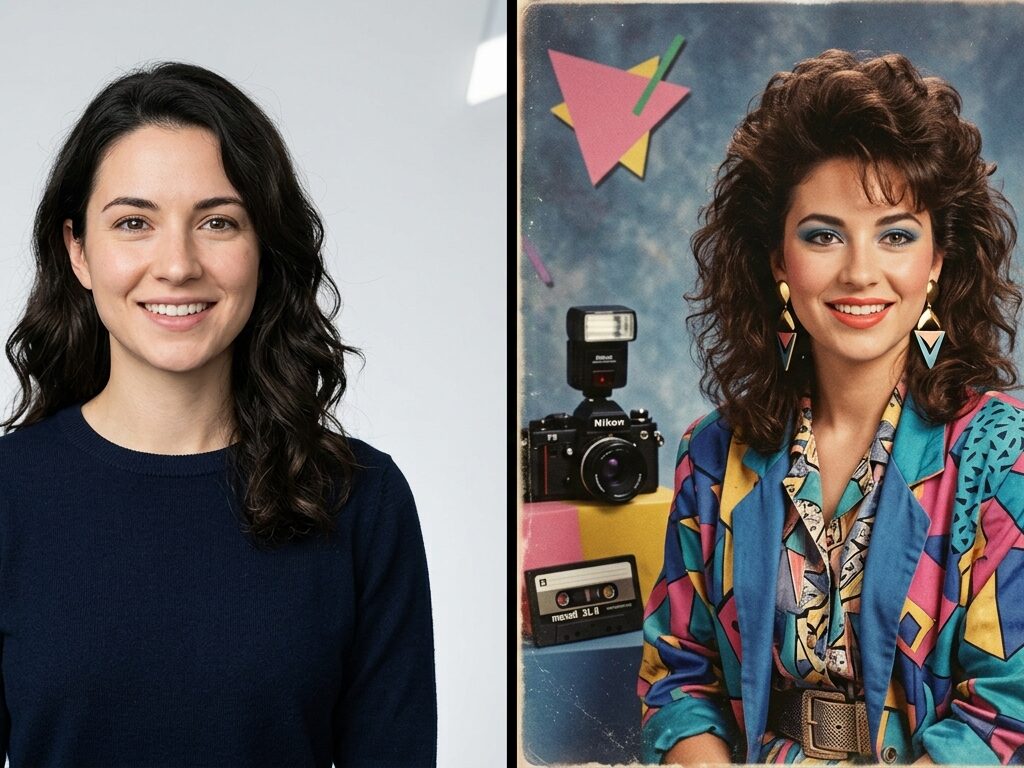
There is one simple trick.
Don’t ask AI to add every possible 80s element at once.
If you ask for huge hair, neon clothes, a sports car, a cassette player, a nightclub, sunglasses, disco lights and several other objects, the result can start looking like an AI-generated picture rather than an old photograph.
Instead, choose two or three strong elements.
For example:
Keep my face natural and recognizable. Give me an authentic 1980s hairstyle, denim jacket and classic studio lighting. Add subtle film grain and faded colors. Make the photograph look genuinely old rather than digitally generated.
This usually gives the AI a clearer direction.
Try Different 80s AI Photo Trend Styles
You don’t have to create just one retro AI photo.
Try several versions of the same photograph.
1. 80s Family Album
Ask AI to create a casual family photograph with vintage clothing, an old living-room background and natural flash photography.
2. 80s Studio Portrait
Try a professional studio portrait with dramatic lighting, classic hairstyles and formal clothing.
3. 80s Yearbook
Create a school or college yearbook-style portrait with a simple background and vintage photography.
4. 80s Party
Try colorful clothes, party lighting, retro decorations and a slightly grainy film-camera effect.
5. 80s Fashion Shoot
Ask for a vintage fashion editorial with bold clothing, dramatic poses and studio lighting.
6. 80s Street Style
Try denim, sneakers, vintage sunglasses, colorful jackets and an old city-street background.
Can You Make an 80s AI Photo for Free?
Yes, there are free options available for creating an 80s AI photo, although “free” does not always mean unlimited.
Dedicated websites such as Magical Studio and GenTube currently advertise free 80s image generation, while other tools may require an account or limit the number of generations.
For people who simply want to experiment, starting with a free option makes sense.
You can test your photo first before deciding whether you need a paid AI image service.
Which Free 80s Photo Generator Should You Try?
If you want the easiest possible experience, a dedicated 80s photo generator is probably the simplest choice.
If you want to explore more AI tools beyond creating an 80s photo, check out our guide to Google AI tools you should know in 2026.
Here is a simple comparison:
| Tool | Best for | Ease of use |
|---|---|---|
| Magical Studio AI | Quick 80s transformation | Very easy |
| GenTube | Quick retro experiments | Easy |
| ImageRoute | Choosing different 80s styles | Easy |
| ChatGPT | Custom prompts and edits | Easy |
| Gemini | AI image editing and transformations | Easy |
Free access and limits can change, so always check the current terms of the individual service.
Be Careful Before Uploading Your Photo
There is one part of the trend that shouldn’t be ignored: privacy.
When you upload a clear face photo to an online AI service, you are sharing personal visual information with that service.
Before using an unfamiliar AI photo generator, check its privacy policy and understand how uploaded images are stored and used.
Avoid uploading:
- Passport photos
- Emirates ID or other identification documents
- Photos containing sensitive information
- Private family photographs you do not want stored online
- Pictures containing children unless you are comfortable with the service’s policies
Recent reporting about the 80s AI trend has also raised concerns about the privacy implications of uploading high-resolution personal photographs to AI services.
The trend is fun, but your face is personal data.
How to Make Your 80s AI Photo Look Less Like AI
AI-generated portraits can sometimes have strange details.
Before sharing your image, check:
- Eyes
- Teeth
- Hands
- Fingers
- Earrings
- Glasses
- Clothing patterns
- Text in the background
- Facial proportions
If something looks strange, ask the AI to fix that specific part.
For example:
Keep everything the same, but correct the hands and make the facial features more natural. Do not change my identity, hairstyle or clothing.
Small corrections can make the final image look much more believable.
Turn the 80s Photo Into a Social Media Post
Once you have your favorite image, you can share it on Instagram, Facebook, TikTok or other platforms.
You could even create a before-and-after post:
Before: Your original 2026 photo
After: Your AI-generated 1980s version
A simple caption could be:
What if I grew up in the 80s? 📸✨
Or:
Apparently, I was supposed to be living in the 80s. 😂📼
You can also create several versions and ask your followers which one looks the most realistic.
Final Thoughts
The 80s AI photo trend is another example of how quickly AI image generation is becoming part of social media culture.
Instead of simply applying a vintage filter, AI can completely reimagine your photograph with 1980s fashion, hairstyles, lighting, backgrounds and photography styles.
The easiest way to start is simple:
Choose a clear photo → upload it to an AI photo generator → use an 80s prompt → generate several versions → check the details → share your favorite.
You don’t need professional editing skills or expensive software.
Just remember that free tools can have changing limits, and you should think about privacy before uploading personal photographs.
AI image trends are moving quickly, and there are now many tools for creating and transforming visual content. If you’re interested in experimenting with AI beyond photos, check out our guide to best image to video AI free.
Now the real question is:
What would you have looked like in the 1980s? 📼✨
Leave A Comment